
Ask any principal what their week looks like and teaching will be maybe a third of the answer. The rest is admissions files, fee follow-ups, attendance registers, exam schedules, transport calls, staff leave and a parent who didn't get the circular.
None of that is unusual. It's what running a school involves. The problem starts when each of those jobs lives in a different place: one register here, one Excel sheet there, tally in accounts, and three WhatsApp groups doing the work of a communication system. Everything works, sort of, until someone needs one answer that sits across all of them.
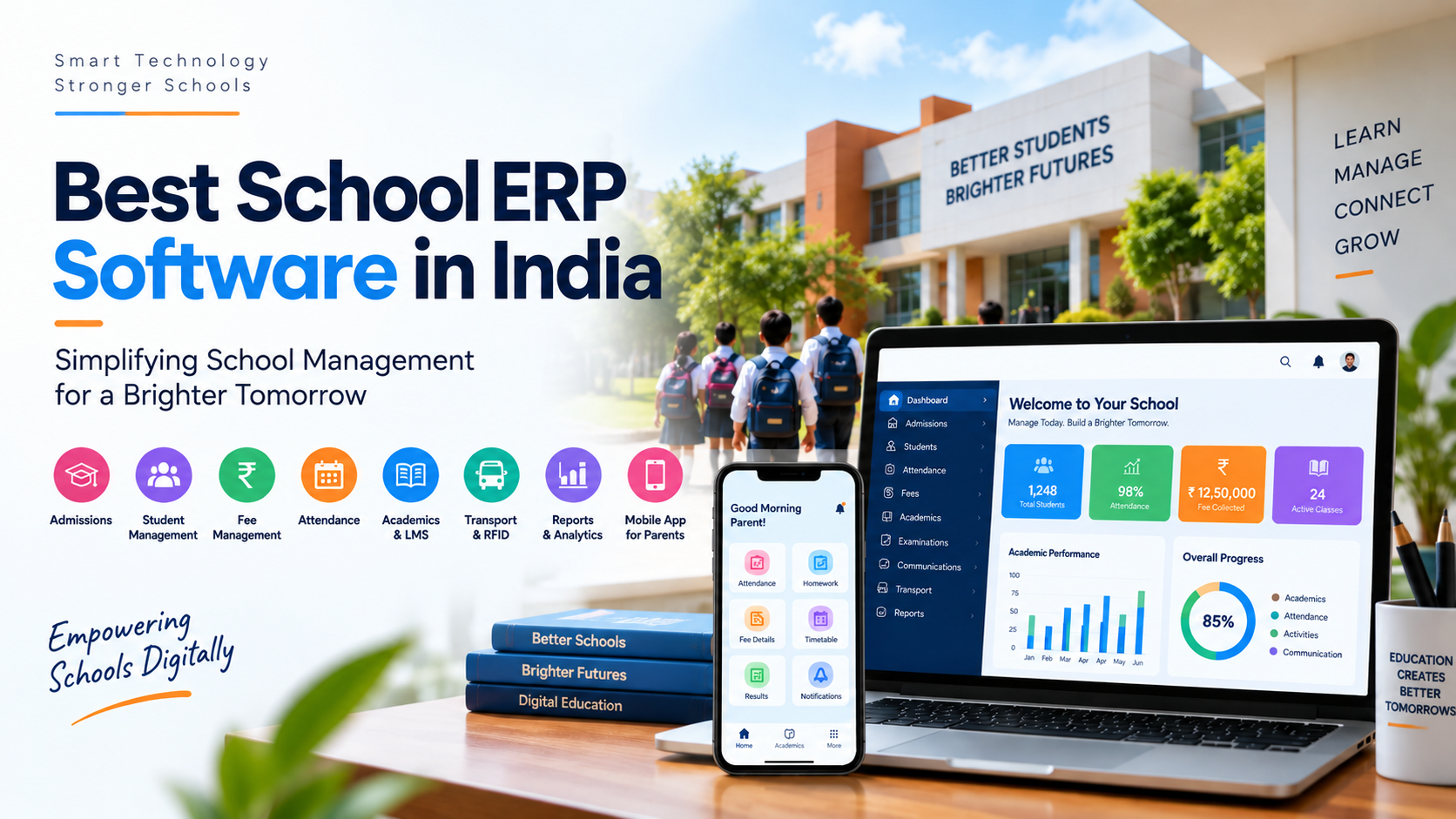
That's the gap School ERP Software was built to close. It puts the school's administrative work into one connected system, so information is entered once and used everywhere.
But the goal was never "less paper." A well-planned ERP should cut repetitive work, tighten communication and give the people running the school a clear view of what's actually happening each day. If it doesn't do those three things, it's just paperwork on a screen.
Why Schools Are Moving Away From Manual Management
Manual systems feel fine at first. Fewer students, a small team, everyone knows where everything is. Then the school grows, and the same habits that worked at 300 students start creaking at 800.
Picture a fairly typical setup. Teachers mark attendance in registers. Accounts keeps fees in their own file. Exam marks sit in a spreadsheet per class. Parents get updates by SMS, WhatsApp, a diary note, or not at all. Every department is doing its job, but nobody has the whole picture.
What that looks like day to day:
-
The same student details typed into four different places
-
Ten minutes to find one child's record
-
Month-end reports that take days to compile
-
One staff member who is the only person who knows how the fee sheet works
-
Fee defaulters that nobody spots until the term is over
-
Attendance percentages worked out by hand
-
Parents who genuinely never received the notice
-
Management finding out about problems after they've become problems
A digital system doesn't fix all of that on its own. It gives those processes somewhere structured to live. And here's the honest caveat: technology should be brought in to solve a problem you actually have, not because the school down the road bought it.
What Is School ERP and How Does It Work?
ERP stands for Enterprise Resource Planning. In business, it means one platform connecting finance, operations, HR and so on. In a school, the same idea applies to administration.
A School Management Software platform typically ties together student information, admissions, attendance, fees, examinations, timetables, communication, transport, learning tools, reporting and parent-facing services.
The mechanics are simple. A child is admitted and a single student record is created. From then on, attendance, fees, marks, transport and parent updates all hang off that one record. Nobody re-types the parent's phone number in the accounts file, because the accounts module is already looking at the same profile.
Which modules you get depends on the platform. So the right question isn't "does it have everything?" but "does it cover what our school does every day?"
Key Areas That School ERP Can Simplify
1. Student and Admission Management
Admissions generate a mountain of information: student and parent details, previous school records, documents, contact numbers, application status, class allocation.
Handled manually, that's a filing cabinet and a spreadsheet that never quite match. In an ERP, it's one workflow from enquiry to enrolment, and every piece of information captured at admission becomes the foundation of the student's record.
The practical payoff is small but constant. An administrator searches a name and has the full profile in seconds, rather than sending someone to the record room. For larger schools, or schools where three departments touch the same student data, that adds up fast.
2. Attendance Management
Attendance is the most repetitive job in the building. Teachers mark it every day; the office turns it into reports every month.
Digital attendance makes the marking quicker, but that's the lesser benefit. The real value is that attendance data becomes usable. Frequent absentees surface automatically. Class-wise and month-wise reports exist without anyone adding up registers. Parents can be alerted the same morning.
Schools that want to go further can connect biometric devices or RFID so attendance is captured without a teacher lifting a pen. Whether that's worth the hardware cost depends on the school, and it's worth comparing the options before deciding.
3. Fee Management
Fee collection is never just "paid or not paid." There are fee structures by class, term-wise schedules, sibling concessions, transport slabs, late fines, partial payments, receipts, refunds and the monthly defaulter list.
Keeping that in a spreadsheet works until it doesn't. A centralised fee module holds the structure, applies it per student, records every payment against the profile and shows outstanding amounts in real time. Add online payment and parents can pay from their phone, with the receipt generated and the accounts ledger updated without anyone touching it.
For the accounts team, that means reconciliation stops being a monthly ordeal. For management, it means knowing the collection position today, not at month-end.
4. Examination and Academic Management
Across a year a school handles exam schedules, subject allocations, marks entry, grading, remarks, report cards and the historical record of all of it.
When that's spread across teacher spreadsheets, report-card season means someone consolidating dozens of files by hand. In an ERP, teachers enter marks directly against the student, the system applies the grading scheme, and report cards are generated in the school's own format.
It also means the academic history is there next year, and the year after, without anyone digging out old files.
5. Parent-Teacher Communication
Parents want to know about attendance, fees, exam dates, results, notices, events and what's happening in class. When that information comes through five different channels, some of it gets lost, and the school ends up fielding calls about things it already sent.
A communication portal built into the ERP changes the dynamic. Notices go out once, to the right parents, through the channels they use, whether that's app notifications, SMS or WhatsApp. The school controls what goes out and can see it was delivered.
For parents who run their lives from a smartphone, which is most of them, this is the part of the ERP they'll actually notice.
6. Transport Management and RFID
School transport is a coordination job: students, routes, stops, vehicles, drivers, and parents who want to know where the bus is.
An ERP with a transport module keeps routes and student allocations organised, and GPS integration lets the school and parents track buses live. An RFID School Management System goes a step further: students carry RFID cards, and boarding, alighting or entering the campus can be logged automatically and pushed to parents as a notification.
It's a strong safety feature. It also involves hardware, card issuance and integration work, so schools should look at the cost and setup before committing.
How School ERP and LMS Can Work Together
Administration and learning are related but not the same job. An ERP runs the office; an LMS runs the classroom: lesson content, assignments, online lessons, assessments.
Schools often end up with one of each, from different vendors, holding separate copies of the same student list. A combined School ERP & LMS Software approach avoids that. Attendance, fees and records sit on the ERP side; learning material and assignments sit on the LMS side; both look at one student profile.
The word that matters here is integration. A product that lists forty features isn't useful if the modules don't talk to each other. Ask to see the handoff: a student added in admissions should appear in the LMS class without anyone re-entering them.
Why Mobile Access Matters for Modern Schools
If the ERP only works on the office desktop, parents and most teachers will never use it. That's not a prediction; it's what happens.
A proper mobile application gives parents attendance, fee dues and payment, notices, homework, results and transport updates in their pocket. For teachers, it means marking attendance and posting homework from the classroom rather than queuing for the staff-room computer.
When you're comparing options for the Best School Mobile App in India, ignore the feature count on the product page and test the things that decide whether people keep using it:
-
Can a parent log in and pay a fee in under a minute?
-
Does it stay fast on a mid-range Android phone with average data?
-
Is it pulling from the same system the office uses, or is it a separate app with its own data?
-
Are notifications useful, or will parents mute it in a week?
-
Would a teacher who dislikes technology manage attendance on it?
An app should make the school easier to deal with. If it adds one more login and one more thing to learn, it has failed at the only job it had.
The Role of Education ERP in School Digitization
Education ERP Software is about connected workflows, not just records on a server. The chain looks like this:
A student is admitted → the profile is created → the student is placed in a class → attendance is recorded against that profile → marks and academic history built on it → fees are tracked against it → parents get updates from it.
One record, used by every department, updated once. That's the whole idea. How far a school takes it depends on the platform and on how well the school configures it during implementation.
School Management Software in India: What Should Schools Consider?
Every school is a different shape: size, board, number of branches, how many people work in the office, how comfortable staff are with technology. So choosing School Management Software in India on feature count alone is a mistake. Look at the whole system.
Ease of use: If teachers and office staff find it hard, they'll work around it, and you'll have paid for software that runs alongside the old registers.
Scalability: Will it still work if you add a branch or double intake?
Integration: Do the modules genuinely share data, and does it connect to your payment gateway, biometric devices and website?
Data security: Student and parent data is sensitive. Ask about hosting, backups, access controls and who owns the data if you leave.
Reporting: Management needs answers, not exports. Can the principal see fee collection, attendance and admissions today, on one screen?
Support: Go-live is the start, not the end. Who trains staff? Who picks up the phone in week three?
Customisation: Your fee structure and report card are yours. Find out what can be changed, and what a change costs.
Managing Student Information More Efficiently
Everything in a school points back to the student record, which is why Student Management Software in India sits at the centre of any digitisation effort.
A single profile holding personal details, parent contacts, admission data, attendance, academic history, fees and transport means authorised staff get the full picture in one place. It also means data stays consistent, provided the school sets clear rules about who enters what and staff follow them.
Choosing the Best School ERP for Your Institution
No platform is right for every school. The Best School ERP Software for a 400-student school is rarely the right fit for a 4,000-student group.
Start with your own situation:
-
Which processes are still manual?
-
Which departments need to share information?
-
What are the staff complaining about?
-
What do parents keep calling about?
-
Which reports does management actually use?
-
Do you need an LMS, RFID, biometric, GPS?
-
What does implementation and support look like?
Then get demos, and bring real users. The principal, an accountant and two class teachers will each see something different in the same platform, and the one who spots the problem is usually the teacher. Understanding what an ERP will cost you in total, not just the licence, belongs in this stage too.
What Makes the Best School ERP Software in India Practical?
"Best School ERP Software in India" is a search phrase, not a product. What makes an ERP the best for you is how closely it matches the way your school runs.
If your pain is fees, attendance and parent communication, spend the demo on those three and skip the rest. If you need deep academic and learning functionality, your checklist is different. Either way, start from the problem and work back to the software, never the other way round.
Benefits of Moving to an Integrated School Management Platform
Done properly, an integrated ERP delivers:
-
One source of truth. Every department works from the same records.
-
Less repetition. Data entered once, not four times.
-
Visibility. Management sees collection, attendance and admissions without asking for a report.
-
Better communication. Parents and staff get the right information, on time, through channels they use.
-
Faster reporting. Academic and operational reports in minutes.
-
Access anywhere. Authorised users on any device.
How much of that a school realises depends on implementation quality, staff adoption and whether the school's own processes are clear. Software can't fix a fee policy that changes every term.
From Digitization to Better Decision-Making
The long game is not going paperless. It's what becomes possible once the information is organised.
Attendance trends by class. Fee collection patterns by month. Academic performance across years. Which notices parents actually open. Management stops asking "what happened?" and starts asking "what is the data telling us?" That's a different kind of school leadership, and it only becomes possible when the data is in one place.
Conclusion
None of this is about replacing teachers or turning a school into a tech company. It's about removing the administrative drag so educators and administrators spend their time on work that matters.
A modern ERP connects admissions, records, attendance, fees, exams, communication, transport and learning in one place. The schools that get the most from it are the ones that start with their own requirements, involve the people who'll use it daily, and judge platforms on usability, integration, security and support rather than the length of the feature list.
If you'd like to see how OneFlawless handles your fee structure, report cards and parent communication, book a free demo and we'll walk through your workflows, not a generic script.

 English
 Arabic
 French
 Spanish
 Portuguese
 Deutsch
 Turkish
 Dutch
Dutch
 Italiano
 Russian
 Portuguese (Brazil)