
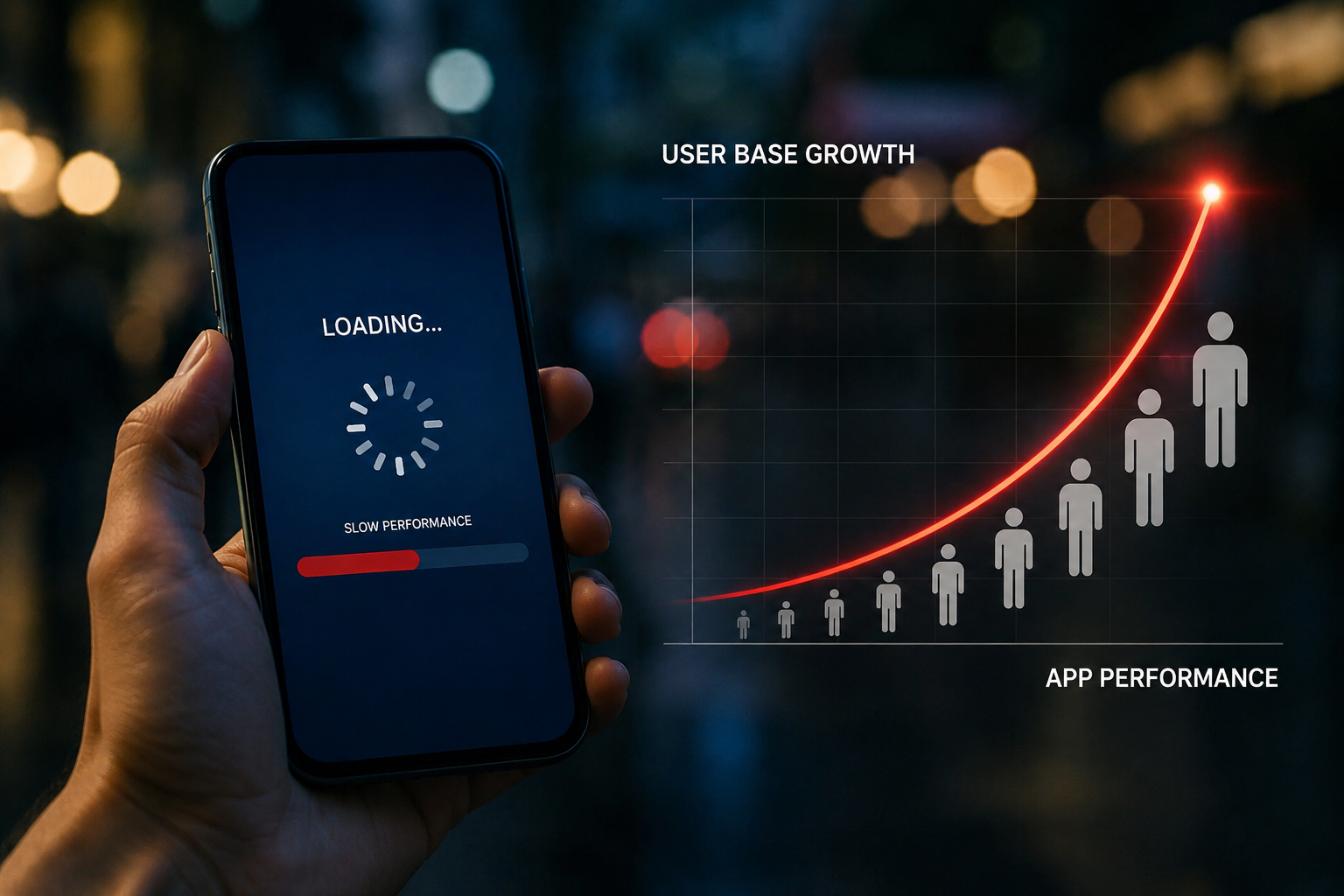
You launched your mobile app, users loved it, and downloads started climbing. Everything felt great. Then, slowly, the complaints started coming in. "The app is so slow." "It keeps crashing." "It takes forever to load." Sound familiar?
This is one of the most common and most expensive problems in the mobile app industry. Understanding why mobile app slows down as users grow is not just a technical question. It's a business survival question. Because when your app gets slow, your users leave. And when users leave, revenue follows.
This article breaks down every layer of the problem, from your server setup to your database design to your code, and gives you a real, practical path forward. Whether you're a founder, a product manager, or a developer, you'll walk away knowing exactly what's happening under the hood and how to fix it.
The Hidden Cost of Growth Nobody Warns You About
When Instagram scaled from a few thousand users to millions, their engineering team had to completely rethink their infrastructure multiple times. When WhatsApp reached 450 million users with just 32 engineers, it was because they had built their backend on Erlang, a language designed specifically for high-concurrency systems. These weren't lucky accidents. These were deliberate, deeply thought-out architectural decisions.
Most app teams, especially early-stage ones, don't think this way. They build for today, not for tomorrow's scale. And that's exactly why why mobile app slows down as users grow is such a widespread problem across the industry, from fintech startups to ecommerce platforms to social apps.
What Actually Causes Mobile Apps to Slow Down?
When your app gets slow with more users, people often blame the code. But the truth is more layered than that. There are usually four or five different failure points happening at the same time, and they compound each other.
1. Your Server Is Doing Too Much Work
The most immediate cause of mobile app performance issues is server overload. When 100 users are using your app, your server handles it comfortably. When 10,000 users hit it at the same time, it starts sweating. When 100,000 users hit it during a flash sale or a viral moment, it collapses.
This happens because most apps are initially built with a monolithic architecture. Everything runs on a single server. Authentication, data processing, file storage, notifications, payments — all of it is handled by one system. When that system gets overwhelmed, every user feels the pain.
The fix isn't just buying a bigger server. That's called vertical scaling, and it has a ceiling. The real solution is horizontal scaling, which means distributing the load across multiple servers. But to do that effectively, your architecture has to support it from the start.
2. The Database Becomes a Bottleneck
This is where most apps quietly die as they grow. Your database was designed for a small number of read and write operations. As your user base grows, every action in your app, every login, every search, every purchase, every feed refresh, triggers a database query.
If your database isn't optimized, those queries start piling up. A query that took 50 milliseconds at 1,000 users might take 4 seconds at 500,000 users because the table it's searching has grown by millions of rows, and there are no proper indexes.
Poorly written queries are another major issue. A query that joins five tables, scans millions of rows, and returns data in an unoptimized format can bring your entire app to its knees when traffic spikes. Companies like Shopify, which processes billions of dollars in transactions, invest enormous engineering effort into database query optimization specifically because they know one bad query can cascade into a system-wide slowdown.
3. No Caching Strategy
Caching is one of the most powerful tools in app performance optimization, and yet it's one of the most underused by growing apps.
Here's the simple truth. If 50,000 users open your app every morning and your app goes to the database every single time to fetch the same homepage data, the same popular product listings, the same user feed template, you're making your database do 50,000 unnecessary trips for the same information.
Caching means storing frequently requested data in a fast, temporary layer like Redis or Memcached so your server can return it instantly without hitting the database every time. Netflix, for example, uses caching so aggressively that the vast majority of their content requests are served from cache rather than from their core databases. This is how they serve millions of simultaneous streams without collapsing.
4. Poor API Design
Every time your app's frontend talks to your backend, it sends an API request. If your API is designed inefficiently, it sends too many requests, fetches too much unnecessary data, or waits too long for responses.
One classic mistake is the "N+1 problem." Your app loads a list of 100 posts, then makes a separate API call for each post to get the author's name. That's 101 API calls instead of 1. At small scale, this feels invisible. At high scale, it's catastrophic for app response time optimization.
Another issue is over-fetching. Your API returns a huge JSON object with 50 fields when your app only needs 5 of them. Every extra byte costs bandwidth and processing time, multiplied across millions of requests per day.
5. No Load Balancing
Imagine a restaurant with six checkout counters, but all customers are forced to use only one. The other five sit empty. That's what happens when there's no load balancing for apps.
Load balancing distributes incoming traffic across multiple servers so no single server gets overwhelmed. Without it, one server absorbs all the load while others remain idle. With it, you can scale horizontally and keep your app stable even during traffic spikes.
Amazon Web Services, Google Cloud Platform, and Microsoft Azure all offer managed load balancing services that can automatically route traffic based on server health, geographic location, and current load. Companies that experience unpredictable traffic spikes, like ticketing platforms during major concert announcements or food delivery apps during lunch hour, depend entirely on intelligent load balancing to stay alive.
How Poor Architecture Impacts Scalability
The architecture you choose at the beginning of your app's life has a massive influence on how it handles growth. Most teams start with a monolith because it's fast to build and easy to manage at small scale. But a monolith doesn't scale gracefully.
When one part of a monolithic system is under stress, it affects everything else. Your notification system being slow can slow down your payment system. Your search feature consuming too much memory can crash your login service. Everything is tangled together.
This is why scalable mobile app development services often involves breaking the application into microservices, small, independent services that each handle one specific function. If your search service is struggling, you can scale just that service without touching anything else. This is the approach companies like Uber and Airbnb moved to as they scaled. Uber's shift from a monolith to a microservices architecture was one of the most well-documented engineering decisions in the industry.
For mobile apps specifically, the backend architecture choices matter enormously. A poorly designed backend is almost always the root cause when why mobile app slows down as users grow becomes a real complaint.
Database Problems in Growing Mobile Apps
Let's go deeper on databases because this is where most teams underestimate the problem.
Missing indexes are one of the most common issues. Without indexes, the database has to scan every single row in a table to find the data you need. With indexes, it jumps directly to the right rows. The difference between a 5-second query and a 5-millisecond query is often just a properly placed index.
Unoptimized schema design is another problem. If your data model wasn't designed with scale in mind, you end up with tables that grow too large, relationships that require expensive joins, and data types that consume more memory than needed.
Connection pool exhaustion is a more advanced issue. Every database can handle a limited number of simultaneous connections. If your app opens a new connection for every request and doesn't close them properly, you'll run out of available connections very quickly. A proper connection pooling strategy ensures connections are reused efficiently.
Read vs. write separation is a technique used by large-scale apps to split database load. Write operations go to a primary database, and read operations go to replica databases. This alone can dramatically improve mobile app loading speed because reads are usually far more frequent than writes.
How to Optimize Mobile App Performance at Scale
Now that you understand the problems, here's a practical path forward.
Start with profiling before you guess. Use tools like New Relic, Datadog, or Firebase Performance Monitoring to identify exactly where your app is slow. Don't assume. The bottleneck is often not where you think it is.
Implement a CDN for static assets. Your app's images, fonts, stylesheets, and other static files should be served from a Content Delivery Network, not from your main server. CDNs serve files from locations closest to the user, reducing latency dramatically. App speed optimization for media-heavy apps often starts right here.
Use background processing for heavy tasks. If a user action triggers a heavy computation, like generating a report or sending bulk notifications, move that to a background job. Return a quick response to the user immediately and process the heavy work asynchronously. Libraries like Sidekiq for Ruby or Celery for Python handle this elegantly.
Paginate your data. Never return all records at once. If your app's feed shows posts, return 20 at a time, not 10,000. Pagination reduces server load, speeds up API responses, and saves the user's mobile data.
Optimize images and media. Images are often the single biggest contributor to slow mobile app loading speed. Use modern formats like WebP, compress aggressively, and implement lazy loading so images only load when they're visible on screen.
Handle app crashes during traffic spikes with auto-scaling. Cloud platforms allow you to configure auto-scaling rules that automatically spin up new server instances when traffic exceeds a threshold. This means your app can handle 10x normal traffic without any manual intervention, and you only pay for the extra capacity while you need it.
Cloud Cost Optimization: Why Costs Spike with Growth and How to Control Them
As your user base grows, so does your cloud bill. This is one of the most surprising and painful parts of scaling a mobile app. Here's why costs climb and how cloud cost optimization can bring them back under control.
Why cloud costs increase: More users mean more API calls, more database queries, more storage, more bandwidth, and more compute power. Without proper governance, teams often over-provision servers "just in case," run idle resources around the clock, store unnecessary data, or use expensive managed services for tasks that could be handled more cheaply.
The main problems that inflate cloud costs:
Running servers 24 hours a day for workloads that only need to run 8 hours. Using large, expensive instances for tasks that don't need them. Storing every log, every file, every piece of user data forever without a retention policy. Not using reserved instances or savings plans when the workload is predictable. Running development and staging environments at full production capacity.
10 proven ways to reduce cloud costs while maintaining performance:
1. Right-size your instances. Audit your servers regularly and downsize any instance that is consistently running below 40% CPU or memory utilization. Cloud providers like AWS offer tools like Compute Optimizer that automatically recommend right-sized instances.
2. Use auto-scaling. Replace always-on servers with auto-scaling groups that grow during peak hours and shrink during off-peak hours. This alone can cut compute costs by 30 to 60 percent for apps with predictable traffic patterns.
3. Switch to serverless for event-driven workloads. Functions like AWS Lambda charge you only for the milliseconds your code actually runs. For background tasks, webhook handlers, and scheduled jobs, serverless can be dramatically cheaper than dedicated servers.
4. Implement aggressive caching. Every API response you can cache is a database query you don't pay for. Every CDN-served asset is bandwidth your origin server doesn't pay for. Caching directly reduces your compute and database costs.
5. Use spot or preemptible instances. AWS Spot Instances and Google Cloud Preemptible VMs offer spare computing capacity at 60 to 90 percent discounts. For fault-tolerant batch processing and non-critical workloads, this is one of the fastest ways to cut cloud spending.
6. Set up a data lifecycle policy. Define how long you actually need to keep different types of data. Move older data to cheaper cold storage tiers like AWS S3 Glacier. Delete data you no longer need. Data storage costs are silent budget killers for growing apps.
7. Optimize your database tier. Review your database instance size, enable query caching, archive old records, and consider moving read-heavy workloads to smaller, cheaper read replicas. Also evaluate whether a fully managed service is cost-effective for your scale or whether a self-managed solution would be cheaper.
8. Buy reserved instances or savings plans for predictable workloads. If you know you'll need a certain level of compute capacity for the next year, commit to reserved instances. The discount compared to on-demand pricing is typically 30 to 70 percent.
9. Monitor and set cost alerts. Use tools like AWS Cost Explorer, Google Cloud Cost Management, or third-party tools like Infracost to monitor spending in real time. Set budget alerts so you're never surprised by a bill at the end of the month.
10. Run FinOps reviews regularly. FinOps, short for Financial Operations, is a discipline that brings engineering, finance, and business teams together to make smarter cloud spending decisions. Companies that implement FinOps practices typically reduce cloud waste by 20 to 35 percent within the first few months.
Common Mobile App Scalability Issues That Teams Miss
Some scalability problems are less obvious but just as damaging.
Session management at scale. If you're storing user sessions in memory on a single server, those sessions disappear when you add a second server. You need a centralized session store like Redis so all servers can access session data.
Third-party API dependencies. If your app depends on a third-party service and that service slows down, your app slows down too. Implement timeouts, fallback responses, and circuit breakers so a slow third-party service doesn't take down your entire app.
Logging overhead. Logging everything is great for debugging. But excessive logging at scale can consume significant disk I/O and slow down your application. Use structured logging, log levels, and sampling to keep logging useful without making it expensive.
Final Thoughts
Understanding why mobile app slows down as users grow is the first step toward building something that truly scales. The problem is almost never one single thing. It's usually a combination of architecture decisions, database design, missing caching, poor API structure, and no load management strategy, all compounding each other as your user count climbs.
The good news is that every one of these problems is solvable. The teams that solve them become the companies that scale. The teams that ignore them become cautionary tales.
Start by measuring. Then fix the biggest bottleneck. Then measure again. Growth should feel exciting, not terrifying. With the right foundation in place, every new user that joins your platform makes your business stronger, not slower.

 English
 Arabic
 French
 Spanish
 Portuguese
 Deutsch
 Turkish
 Italiano
 Russian
 Romaian
 Portuguese (Brazil)