
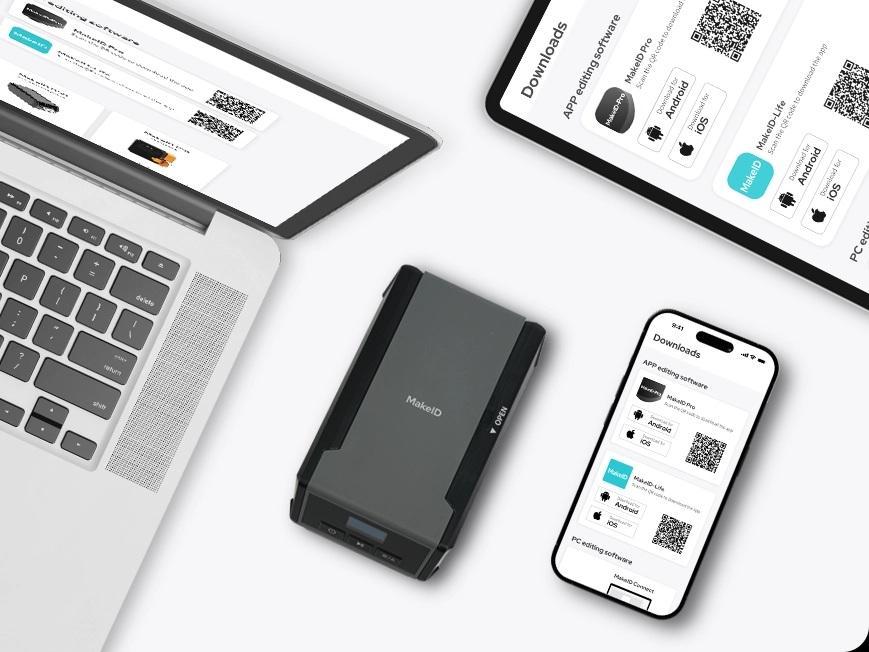
Fiber optic cables are the backbone of modern communication, power, and healthcare systems—carrying critical data across telecom networks, power grids, and hospital facilities. However, their small size, high density, and similarity in appearance make accurate labeling essential for maintenance, troubleshooting, and safety. Improper or unclear labels can lead to costly downtime, misconnections, and operational inefficiencies. This article outlines a practical, industry-aligned process for labeling fiber optic cables, with a focus on leveraging MakeID’s portable label printers and consumables for reliable results.
1. Pre-Labeling Preparation: Gather Tools Define Standards
Before starting, ensure you have the right tools and a clear labeling standard—two foundations of effective cable labeling.
Essential Tools
- Portable label printer: Opt for MakeID models designed for industrial durability, such as the MakeID W110 (compact for tight spaces) or MakeID GP70 (high-speed printing for large batches). These printers handle harsh environments (e.g., telecom towers, power substations) and work with weather-resistant labels.
- Label consumables: Choose MakeID’s fiber-optic-specific labels, which are UV-resistant, water-proof, and adhesive-backed to stick firmly to cable jackets. Match consumables to your printer model (e.g., GP53 labels for the GP53 printer) to avoid jams or poor print quality.
- Cleaning supplies: Wipe cables with a dry cloth to remove dust, oil, or debris—this ensures labels adhere properly and won’t peel over time.
Labeling Standards
Define consistent information to include on labels, as per industry best practices (e.g., TIA/EIA standards for telecom):
- Cable ID (unique alphanumeric code, e.g., “FIB-TS-001” for Telecom Substation 001)
- Connection points (source and destination, e.g., “Router A → Switch B”)
- Installation date
- Cable type (e.g., “Single-mode, 9/125μm”)
2. Step-by-Step Labeling Process for Fiber Optic Cables
Follow these four steps to ensure precise, long-lasting labels—whether you’re working in a telecom closet, power plant, or hospital data room.
Step 1: Identify Document Cables
First, map the fiber optic cable network to avoid mislabeling. For existing systems:
- Trace each cable from its source to destination (e.g., from a telecom router to a distribution panel).
- Use a cable tester to confirm continuity, ensuring you label the correct cable (critical for avoiding mix-ups in dense setups).
- Record details (e.g., ID, connection points) in a digital or physical log—this creates a reference for future maintenance.
Step 2: Design Labels with MakeID Printers
Use MakeID’s printer software to create clear, readable labels:
- Select a font size of 8–12pt (small enough to fit on cables, large enough for quick scanning).
- Choose a bold font (e.g., Arial Bold) to enhance readability in low-light areas (e.g., under telecom towers).
- Include barcodes (optional but recommended) for digital tracking—MakeID printers support QR codes that link to your cable log, letting technicians scan labels with a phone for instant access to details.
Step 3: Apply Labels Correctly
Proper application prevents labels from falling off or becoming unreadable:
- Apply labels to the middle section of the cable (avoiding bends or connectors, which can cause peeling).
- For long cables (e.g., those spanning telecom towers), add labels every 10–15 meters and at both ends—this helps technicians locate cables quickly during repairs.
- Press the label firmly for 5–10 seconds to activate the adhesive, especially in cold or humid environments (common in power substations or hospitals).
Step 4: Verify Update Labels
After application:
- Check that labels are legible, correctly aligned, and free of smudges (MakeID’s thermal printing technology ensures smudge-proof text).
- Update your cable log with the new labels, cross-referencing IDs with connection points.
- Schedule quarterly checks to replace damaged labels—MakeID’s durable consumables reduce replacement frequency, but regular inspections prevent gaps in labeling.
3. Why Choose MakeID for Fiber Optic Cable Labeling?
MakeID’s solutions are tailored to the unique needs of industries relying on fiber optic cables (telecom, electric power, healthcare), addressing key pain points like durability and portability:
- Industrial-grade durability: MakeID printers (e.g., GP52, GP70) are shock-resistant and work in temperatures ranging from -10°C to 50°C, making them suitable for outdoor telecom towers or power plants.
- Fast, on-site printing: Portable models let technicians print labels directly at the job site—no need to pre-print labels in an office, reducing errors from mismatched IDs.
- Trusted by leading brands: MakeID partners with industry giants like China Mobile, State Grid, and Huawei, ensuring its labels and printers meet strict industrial standards for reliability.
Conclusion
Labeling fiber optic cables is a critical step in maintaining efficient, safe networks—especially in high-stakes industries like telecom and healthcare. By following the preparation, design, application, and verification steps outlined above, and using MakeID’s durable portable printers and consumables, you can ensure labels remain legible, accurate, and long-lasting. Whether you’re managing a small hospital data room or a large telecom network, MakeID’s solutions simplify the labeling process while meeting the rigorous demands of industrial environments.

 English
 Arabic
 French
 Spanish
 Deutsch
 Turkish
 Dutch
Dutch
 Italiano
 Russian
 Romaian
 Portuguese (Brazil)